Track: computer-vision blob tracking over your footage
Kubrick's Track effect reads every frame of a clip and outlines what stands out, with detector boxes and sizes, for the tracked, analytical look from music videos and tech ads.
You've seen the look: footage with boxes snapping onto people and objects, thin outlines tracing shapes, little numbers ticking next to them. It's usually made in TouchDesigner or After Effects with plug-ins. In Kubrick it's one effect.
What it does
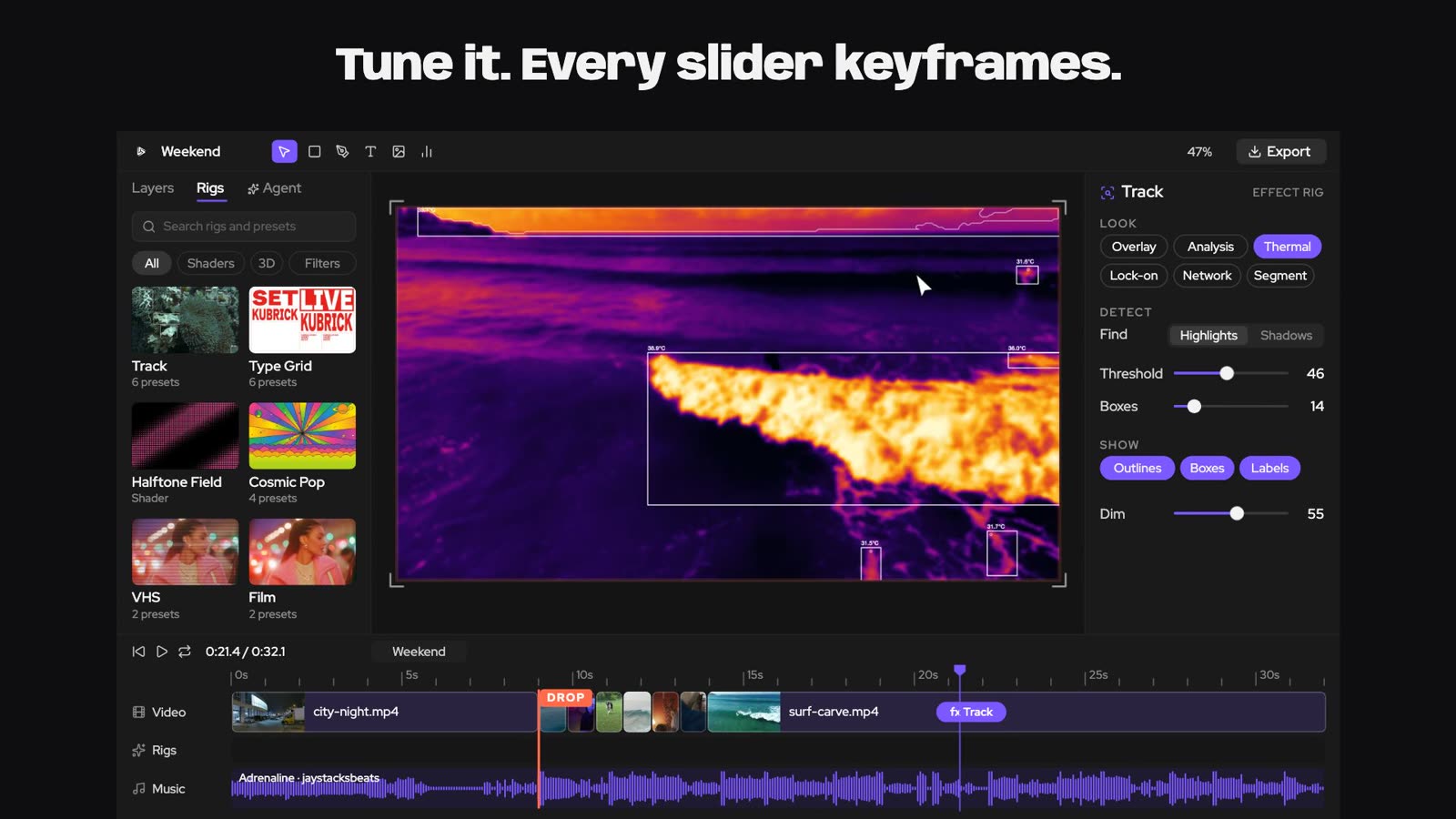
Track reads every frame of a video layer and finds what stands out from its surroundings. Each find gets a traced outline, a detector box and its size in pixels, and nearby finds share a group box. Because it really reads the footage, the boxes follow what's actually moving in your clip.
How to use it
Select a video layer and open Rigs in the toolbar. Under Effects, pick Track. It goes on the selected clip (or the top video in the scene). If there's no video yet, it adds a sample clip so you can see it work.
Its controls sit at the top of the right panel:
- Threshold, Min size and Boxes decide what counts as a find and how many you get
- View switches between drawing over the footage and an analysis view (the tracker's own screen)
- Dim darkens everything Track didn't pick, so it reads at a glance what's tracked
- colour, line width and opacity
- both dice, to roll new looks
There are presets too, from a clean target look to thermal and network styles.
Ideas
- A skate or dance clip with boxes locked onto the riders.
- Drone footage of a city with the analysis view on the drop.
- A product ad where the tracker "finds" the product before the logo lands.
Try it in Kubrick
Start free trial